
Our picks
1Best Overall
 8.9 out of 10 — Strong buy
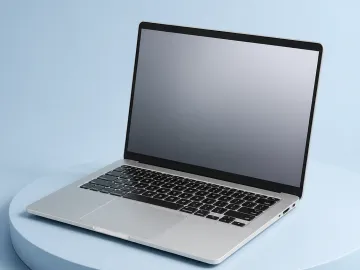
Meridian 14
Three millimetres thicker than the field and the only machine here still running at full speed forty minutes into a workload.
Check price at Kestrel Direct for the Meridian 14 (opens in a new tab)
2Best Value

Vector 13
The lightest machine we tested, with the best screen on this page, at $300 less. It throttles hard under sustained load and the support window is short.
The thirty-minute rule
If you read one thing on this page, read this. Laptop performance is almost always reported from the first minute of a test, and the first minute is the minute in which every machine looks the same.
Thin laptops handle heat by running fast until they cannot, then running slower. Thick ones handle it by running slightly less fast for as long as you like. In a ten-second benchmark the first design wins comfortably. In an export, a compile, or a long video call with forty tabs open, it does not.
Why not the fastest machine here
The Vector 13 posts the highest peak clock in this group and finishes a short benchmark ahead of the Meridian. It is also 24% slower at the thirty-minute mark, loud while getting there, and uncomfortably warm on the underside.
That is a real trade rather than a failure. If your work is a series of short bursts between long idle periods — writing, email, browsing, spreadsheets — the Vector will feel faster, weigh 380 g less, and have a better screen. We recommend it for exactly that person.
The thing nobody puts on a spec sheet
Support windows. Kestrel commits to five years of BIOS and driver updates in writing and publishes changelogs. Tessellate publishes no commitment at all, and its last three models stopped receiving firmware around thirty months after launch.
On a machine you keep for three years this does not matter much. On one you keep for six, it is the difference between a laptop and a security problem. Ask before you buy, and treat “we support our products” as a no.
What to ignore when you shop
Peak boost clocks. A number the processor holds for a few seconds under ideal cooling. It appears on every spec sheet and predicts nothing.
“All-day battery.” Every manufacturer defines the day. Ask for the workload and the screen brightness, or find a figure measured at a stated brightness.
Port counts without protocol. Four USB-C ports where two are 10 Gbps and cannot drive a display is not four ports.
Weight without thickness. A 1.2 kg machine that is 18 mm thick fits in bags a 1.4 kg machine at 15 mm does not.